Centralized Style Sheets
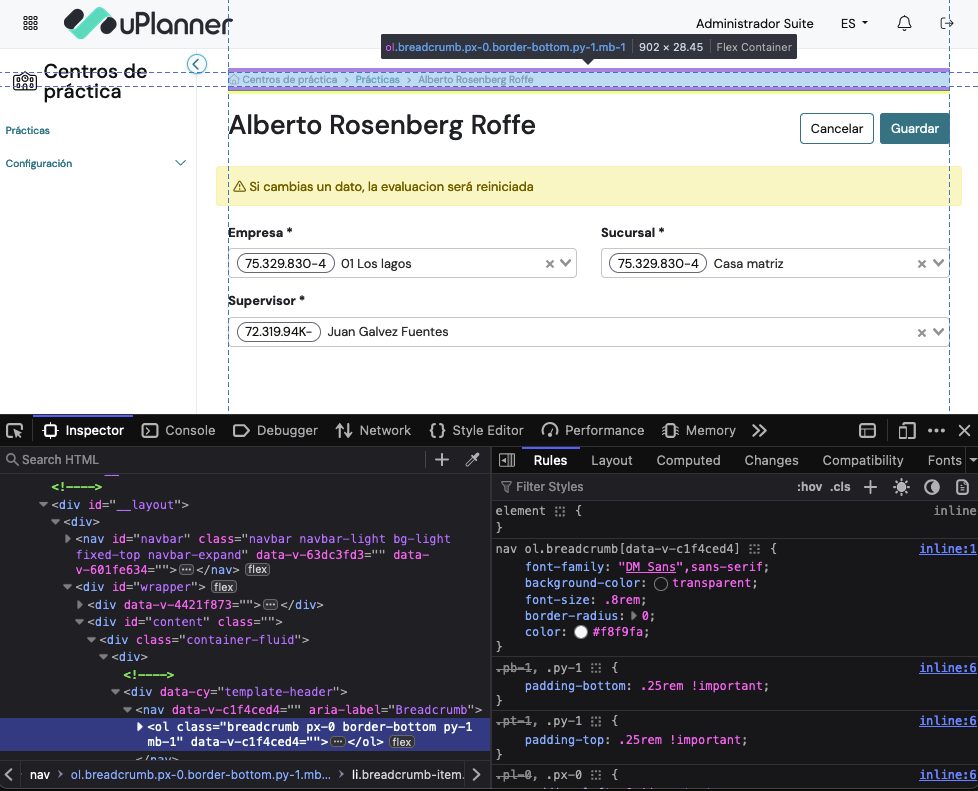
As Product Design Lead at uPlanner, I led the efforts of our team through a critical evolution in our UI design process. We moved from using inline styles, which created inconsistency, redundancy, and limited reusability, to implementing centralized style sheets for greater efficiency and uniformity. Initially, we transitioned to centralized LESS files during our Angular phase, integrating them with the Bootstrap framework to establish a consistent design language, improve maintainability, and enhance modularity. Later, as we shifted to Vue.js, we advanced to SASS, leveraging its more powerful features for better reusability, scalability, and efficiency, while also updating our Bootstrap integration. This transition to centralized styles has significantly improved our ability to maintain, scale, and collaborate on UI design across all our digital products at uPlanner.
Challenge
Initially, our UI design approach involved using inline styles directly within the HTML of our views:
- Inconsistency: Different developers applied different styles, leading to an inconsistent look and feel across the application.
- Redundancy: Repeated use of similar styles across various elements resulted in a bloated codebase.
- Limited Reusability: Inline styles lacked the ability to be reused across multiple components, making maintenance and updates labor-intensive.
Objective
Our objective was to create a more efficient and consistent styling system by centralizing our styles. This would involve transitioning from inline styles to centralized style sheets to achieve the following:
- Ensure a consistent design language across all views and components.
- Minimize redundancy by defining reusable styles in a central location.
- Enhance scalability and maintainability through organized and modular style management.
Process
1. Initial Implementation: Inline Styles
In the earliest phase of development, we relied on inline styles embedded within HTML elements. This approach was simple but soon revealed its limitations:
- Hard to Maintain: As the application grew, maintaining inline styles became increasingly difficult. Updating a single design element required finding and changing styles in multiple locations.
- Lack of Consistency: Different developers often applied different inline styles, leading to a fragmented and inconsistent user interface.
- No Reusability: Inline styles were tied to specific elements, making it impossible to reuse them across different parts of the application.
2. Transition to Centralized Style Sheets with LESS
Recognizing the limitations of inline styles, we transitioned to a more structured approach by adopting LESS, a CSS preprocessor, during our development with Angular. Key changes included:
- Centralized LESS Files: We created centralized style sheets using LESS, which housed all the styles for the application in a single, organized structure. This allowed us to define variables, mixins, and reusable styles that could be applied across different components.
- Bootstrap Framework Integration: We based our style sheet architecture on the Bootstrap framework, customizing it to align with our specific design requirements. This integration allowed us to leverage Bootstrap’s responsive grid system and predefined styles while maintaining our own branding.
- Consistent Design: By centralizing styles in LESS, we ensured a consistent design language across the entire application. All developers used the same set of styles, reducing inconsistencies.
- Improved Maintainability: Centralized LESS files made it easier to update styles. Changes made to a single value in the LESS files automatically propagated throughout the application, reducing the time and effort needed for updates.
- Modularity: LESS allowed us to break down styles into modular files, each representing different aspects of the UI (e.g., typography, color schemes, layouts). This modularity improved both the organization and scalability of our styles.
3. Advancement to SASS with Vue.js
As we moved from Angular to Vue.js, we saw an opportunity to further enhance our styling approach by adopting SASS, a more powerful CSS preprocessor:
- SASS-Based Architecture: We structured our style sheets based on SASS, taking full advantage of its features like nested rules, inheritance, and more advanced functions. This provided even greater control and flexibility over our styling.
- Updated the Bootstrap Framework: We kept our style sheet architecture on the Bootstrap framework, upgrading to the next version and customizing it using SASS variables and functions to align with our specific design requirements.
- Enhanced Modularity and Reusability: SASS’s advanced features enabled us to create highly reusable and modular styles. For example, we defined global variables for colors, fonts, and spacing, ensuring consistency while making it easy to update the design across the application.
- Efficiency and Scalability: The combination of centralized SASS files and the new version of Bootstrap’s customization capabilities allowed us to scale our design system efficiently. We could easily add new styles or modify existing ones without disrupting the overall design consistency.
Results
Overall, transitioning from view-specific styling to centralized style sheets brought several significant advantages:
- Consistency: Centralized styles ensured a uniform design across all components, reducing the likelihood of design inconsistencies.
- Reduced Redundancy: With a centralized approach, common styles were defined once and reused across multiple components, reducing duplication and keeping the codebase clean.
- Ease of Maintenance: Updating styles became straightforward, as changes made in the centralized style sheets automatically applied across the entire application. Extracting the style layer from each view also means that developers no longer need to worry about styling the html, now all UI visual enhancements are applied automatically.
- Enhanced Collaboration: Centralized style sheets provided a single source of truth for all styles, making it easier for designers to collaborate and ensuring that everyone followed the same design guidelines.
- Scalability: As the application grew, centralized stylesheets allowed us to scale the design system efficiently, adding new components or updating styles without disrupting the overall consistency.
Conclusion
Our evolution from inline styles to centralized style sheets, first using LESS and then advancing to SASS, has significantly improved our UI design process. Centralized styles have provided us with a scalable, efficient, and maintainable system that ensures consistency across our digital products.